


BuzzCast: Live Stream & Chat
4.23.77K Reviews
App Specs
- Version
- 3.2.90
- Updated On
- License
- Free
- Downloads
- 10,000,000+
- Developer
- BuzzCast LIVE
- Categories
- Social
- Platform
- Android, iOS
Screenshots
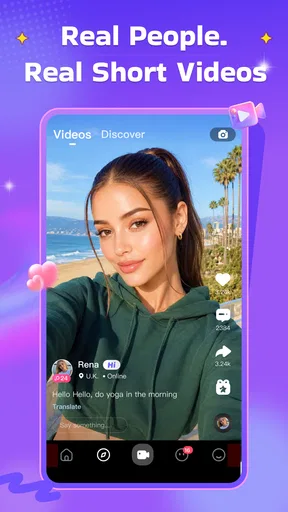
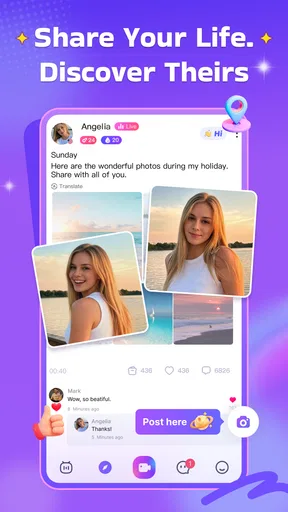
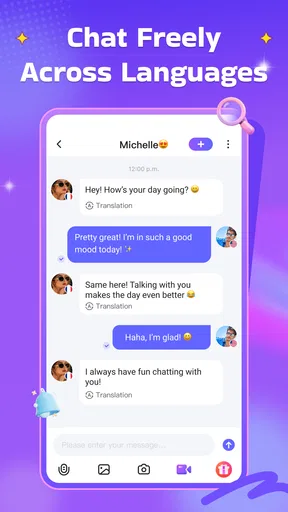

 Analysis by AppCompare
When an app is built around live video, the question at home is not only whether it is easy to open. It is also who is using the screen, what they expect from the conversations, and whether the experience fits the moment. I tried to look at BuzzCast through that everyday lens: as a social app for spontaneous contact, but also as something that might sit on a shared phone or tablet.
A social app that works best as a personal space
BuzzCast is a social app from BuzzCast LIVE, designed around watching live broadcasts and meeting people through video. Its average rating is 4.2 from around 134,000 ratings, and it has passed 10 million installs. Those figures suggest that it has found a sizable audience, but they do not tell me whether a particular room or conversation will suit me; the live, person-to-person nature of the app makes that a matter of individual experience.
I would treat it as a personal social space rather than a casual household utility. If several people use the same device, they may see the same app icon and access the same installed app, but that does not make their social activity interchangeable. Before anyone else in the home borrows the device, I would close the app and check that the right person is using the account. That small habit is more useful than assuming a shared screen automatically means a shared, low-stakes experience.
Useful boundaries before opening a live room
The app’s live format makes it easy to move from watching into interaction, which is part of its appeal and also a reason to decide on personal boundaries ahead of time. I would choose what I am comfortable sharing before starting a video conversation, keep identifying details out of casual introductions, and avoid showing parts of my home that I would rather keep private. These are practical habits for any live social platform, not a claim that a particular setting can prevent every risk.
If you are setting it up on a shared device, agree on a simple handoff routine: sign out or close the session when finished, avoid letting another person use an open account, and make sure the next user understands that live rooms involve other people. That does not need to turn the app into a household project. It just makes the boundary between one person’s conversations and another person’s screen time clearer.
When spontaneous connection is the point
I can see the appeal on an evening when I have a few spare minutes and want to listen to a live conversation rather than scroll through a feed. A public room can give the session a more communal feel, while a private call is better suited to a direct exchange once I know I want to talk with someone. That choice matters: browsing a room is a lighter commitment, while turning on a camera can make the interaction feel much more personal.
For coordinating with friends or family, I would not make BuzzCast my default replacement for a familiar messaging or calling app. Its strength is discovery and live social activity, not necessarily the predictable, one-to-one coordination people need to confirm plans or share a quick update. I would use an established contact method for practical arrangements, then open BuzzCast when the goal is to spend time in a live social setting.
Worth Reading Before You Choose

EA SPORTS FC Mobile 26 Is a Bigger Football Game, but It Takes Time

Flipboard Shows What News Apps Must Do Beyond the Feed

Switching to Android Auto Means Rethinking Your Driving Routine

Google Calendar Makes a Crowded Week Easier to Manage

Ludo King Makes the Most of the Minutes Between Plans

Baby Panda World Brings Quick Play to Modern Phones, but Its Game Library Feels Busy
Age context and trust need a human decision
The app is rated Mature 17+, so I would not treat it as suitable for younger children simply because it is available on a family device. The age rating is a useful starting point for a household conversation, but it does not tell me what every live room will contain. Adults should make the decision based on the person using it, their comfort with live interactions, and the context in which they would use the app.
In-app purchases range from $0.49 to $999.99 per item, so I would also talk through spending expectations before handing over a device with payment access. Virtual gifts can make sense as a way to show appreciation, but they are still a reason to pause before tapping through a purchase. I would keep gifting optional, agree on a clear spending boundary if more than one person uses the device, and check that the account holder understands what a purchase means.
Who will enjoy it, and who may prefer another option
BuzzCast is a better fit for adults who are curious about live conversations and comfortable meeting people in a format that can feel unpredictable. It may be less appealing if you prefer carefully edited posts, text-first communication, or a quiet feed you can browse without the possibility of direct interaction. If your main need is keeping up with people you already know, a standard messaging app or familiar video-call service is likely the more practical choice.
One useful way to try it is to set a small purpose for each visit: watch a room for a while, see whether the conversation feels welcoming, and only join in if it feels right. That keeps the experience from turning into aimless browsing, and it gives you a natural stopping point. If the room is not your scene, leaving is a perfectly reasonable choice; there is no need to force a connection just because the app makes one available.
BuzzCast is free to download, with in-app purchases, and its current version is 3.2.73. It supports Android 5.0 and later. I would check that the device meets that requirement before planning to use it, and remember that a free starting point does not mean every optional item is free. Its mature audience positioning and purchase options make it more appropriate for an adult’s personal account than for an unsupervised shared family device.
In the end, I see BuzzCast as a social destination rather than a household communication hub. It is worth considering if you want the immediacy of live rooms and video conversations, and are willing to use sensible boundaries around privacy, account access, age, and spending. If you want reliable coordination, a controlled experience for children, or a purely text-based way to keep in touch, I would choose a different kind of app instead.
Let me tell you about this app I recently stumbled upon—BuzzCast. It's a Live Video Chat App that's been buzzing around, and I just had to check it out. I mean, who doesn’t want to make new friends and have fun conversations at the tap of a button? In this review, I'll take you through my experience with it, from the initial download to the final moments of deciding whether it deserves a spot on my home screen.
First Impressions: Download and Setup
The first thing I noticed about BuzzCast was how easy it was to find and download. A quick search in the app store, a tap, and voila! The app was ready to be explored. The setup process was a breeze, too. I signed up using my email, but you can also use your social media accounts if that's more your style. Within minutes, I was all set up and ready to dive into the world of live video chats.
The interface is sleek and straightforward, which is something I always appreciate. No one likes getting lost in a maze of menus, right?
Exploring Features and Making Connections
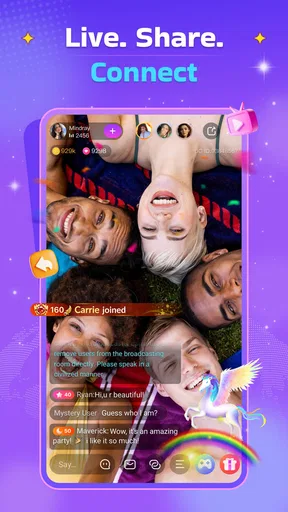
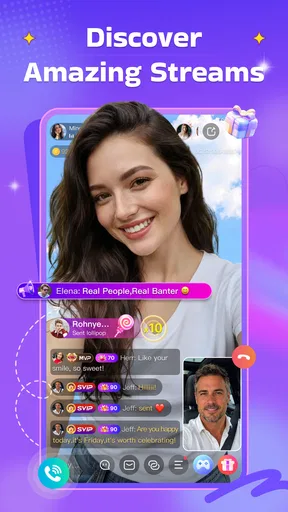
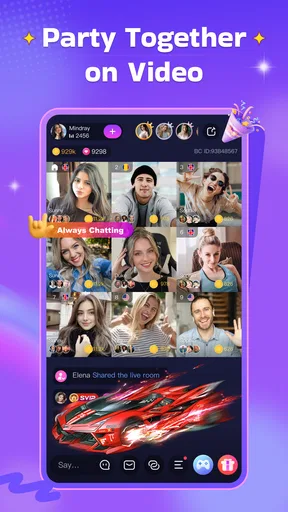
Now, onto the fun part—exploring what BuzzCast has to offer. The app's main feature is, of course, live video chatting. You can either join public rooms or have private video calls with people from around the globe. I joined a few public rooms, and it was quite an experience. Everyone was super friendly, and it felt like a virtual party. The video quality was decent, which is crucial when you're chatting face-to-face.
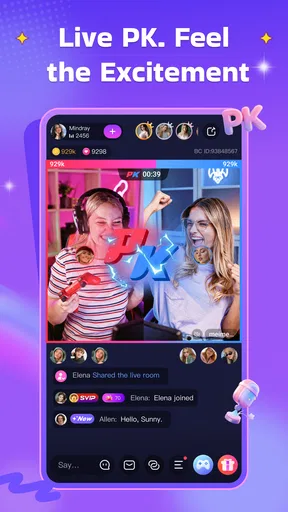
There's also a feature where you can send virtual gifts, which reminded me of those classic live streaming apps. It’s a nice touch if you want to show some appreciation or just make someone’s day. Plus, there are various games you can play during chats, adding an extra layer of fun to the conversations.
Security and Privacy: Always a Priority
When it comes to apps like these, security and privacy are always on my mind. BuzzCast seems to take this seriously. The app provides several privacy settings, allowing you to control who can contact you and what information you share. It’s always reassuring to know that your data is in good hands.
There’s an option to block or report users who may not be playing nice, which is a handy feature to ensure a safe environment for everyone. I didn’t encounter any issues myself, but it’s good to know the app has protective measures in place.
Performance: Smooth Sailing or Rough Waters?
So, how does BuzzCast perform in terms of speed and reliability? For the most part, it runs smoothly. The app loads quickly, and I didn’t experience any significant lag during video calls. However, like any app, it’s not immune to occasional hiccups. There were a couple of times when the app crashed, but a quick restart solved the problem.
I’d say the performance is above average, and as long as you have a stable internet connection, you should be good to go.
Final Thoughts: Is BuzzCast Worth It?
So, after spending some quality time with BuzzCast, what’s the verdict? Honestly, it's a fun and engaging app if you’re looking to meet new people and have interesting conversations. The user-friendly interface and variety of features make it appealing, especially for those who enjoy live video interactions.
While there’s room for improvement in terms of occasional crashes, the overall experience is positive. Whether you’re an extrovert looking to expand your social circle or just someone curious about the world, BuzzCast offers a platform to connect in real-time.
Give it a try and see if it lights up your social life. After all, you never know who you might meet on the other side of the screen!
Pros
- High-quality video streaming capabilities.
- User-friendly interface with easy navigation.
- Diverse chat rooms for various interests.
- Interactive features like gifts and games.
- Strong privacy controls and settings.
Cons
- In-app purchases can be costly.
- Requires a stable internet connection.
- Notifications can be overwhelming.
- Limited free features for new users.
- Occasional lag in live streams.
FAQs for BuzzCast: Live Stream & Chat
What is BuzzCast and how does it work?
BuzzCast is a live video chat app that connects users from around the world. It allows you to engage in real-time video chats with friends or new people, join live broadcasts, and explore various social features. The app is designed to enhance social interaction and provide entertainment through live streaming and video communication.
Is BuzzCast free to use or are there in-app purchases?
BuzzCast is free to download and use; however, it offers in-app purchases for additional features and content. These purchases may include virtual gifts, premium subscriptions, or special features that enhance the user experience. Users can choose to explore the app entirely for free or opt for paid features for added benefits.
How safe is BuzzCast for personal use?
BuzzCast implements several safety measures to protect user privacy and security. It includes features such as reporting and blocking to manage interactions. However, users should always exercise caution by not sharing personal information and being aware of privacy settings. The app encourages users to follow community guidelines to ensure a safe environment.
What are the system requirements for BuzzCast?
To run BuzzCast smoothly, your device needs to meet certain system requirements. For Android, it generally requires Android 5.0 or above, while iOS devices should have iOS 11.0 or later. Ensure your device has sufficient storage and a stable internet connection for optimal performance while using live video features.
Can I use BuzzCast to earn money?
Yes, BuzzCast offers opportunities for users to earn money through live streaming. By creating engaging content, you can attract followers and receive virtual gifts, which can be converted into real earnings. The app provides a platform for content creators to monetize their livestreams, encouraging creative expression and interaction.


